Smart home tech for beginners doesn’t have to feel overwhelming. Millions of people now control their lights, thermostats, and security systems with a simple voice command or smartphone tap. The technology has become more affordable and user-friendly than ever before. This guide breaks down everything new users need to know about smart home devices, from basic concepts to practical setup steps. Whether someone wants to save energy, boost convenience, or simply try something new, smart home technology offers an accessible entry point for anyone ready to upgrade their living space.
Table of Contents
ToggleKey Takeaways
- Smart home tech for beginners starts with understanding three core components: devices, a hub or controller, and an app or voice assistant for control.
- Smart speakers like Amazon Echo, Google Nest, or Apple HomePod serve as the command center and allow hands-free control of compatible devices.
- Smart bulbs and plugs cost between $10 and $50, making them low-risk entry points for anyone new to smart home technology.
- Setting up smart devices follows a simple pattern: download the app, create an account, connect to Wi-Fi, name your devices, and link to a voice assistant.
- Beginners should stick to one ecosystem (Amazon, Google, or Apple) to reduce complexity and ensure seamless device compatibility.
- Start with two or three devices, master manual control first, then gradually add automations like scheduled lighting or temperature adjustments.
What Is Smart Home Technology?
Smart home technology refers to devices that connect to the internet and can be controlled remotely. These devices communicate with each other and respond to commands from smartphones, tablets, or voice assistants. The core idea is simple: automate everyday tasks and give users more control over their home environment.
A smart home system typically includes three main components. First, there are the devices themselves, things like smart bulbs, thermostats, cameras, and door locks. Second, a hub or controller acts as the central brain that coordinates everything. Third, an app or voice assistant provides the interface for user control.
Smart home tech works through wireless protocols like Wi-Fi, Bluetooth, Zigbee, or Z-Wave. Wi-Fi devices connect directly to a home router. Zigbee and Z-Wave devices require a dedicated hub but often provide more reliable connections and lower power consumption.
The benefits extend beyond convenience. Smart thermostats can reduce energy bills by learning household patterns. Security cameras provide peace of mind when traveling. Smart lighting can simulate occupancy to deter burglars. For beginners, understanding these basics makes the rest of the setup process much clearer.
Essential Smart Devices for New Users
Starting a smart home doesn’t require buying everything at once. A few key devices can transform daily routines without very costly. Here are the most beginner-friendly options.
Smart Speakers and Voice Assistants
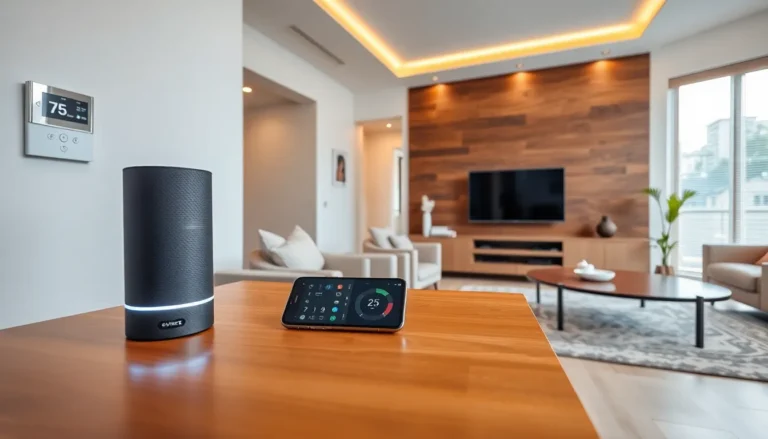
Smart speakers serve as the command center for most smart homes. Amazon Echo devices use Alexa, Google Nest speakers use Google Assistant, and Apple HomePod uses Siri. Each platform has strengths, but all three handle basic smart home control well.
Voice assistants let users control compatible devices hands-free. Someone can say “turn off the living room lights” or “set the thermostat to 72 degrees” without touching a phone. These speakers also play music, answer questions, set timers, and make calls.
For beginners, choosing a voice assistant often comes down to existing device preferences. iPhone users might prefer Apple’s ecosystem. Android users often lean toward Google. Amazon Alexa works well with the widest range of third-party smart home devices.
Smart Lighting and Plugs
Smart bulbs and plugs offer the easiest entry into smart home tech. Products like Philips Hue, Wyze bulbs, or TP-Link smart plugs require minimal setup. Most screw into existing fixtures or plug into standard outlets.
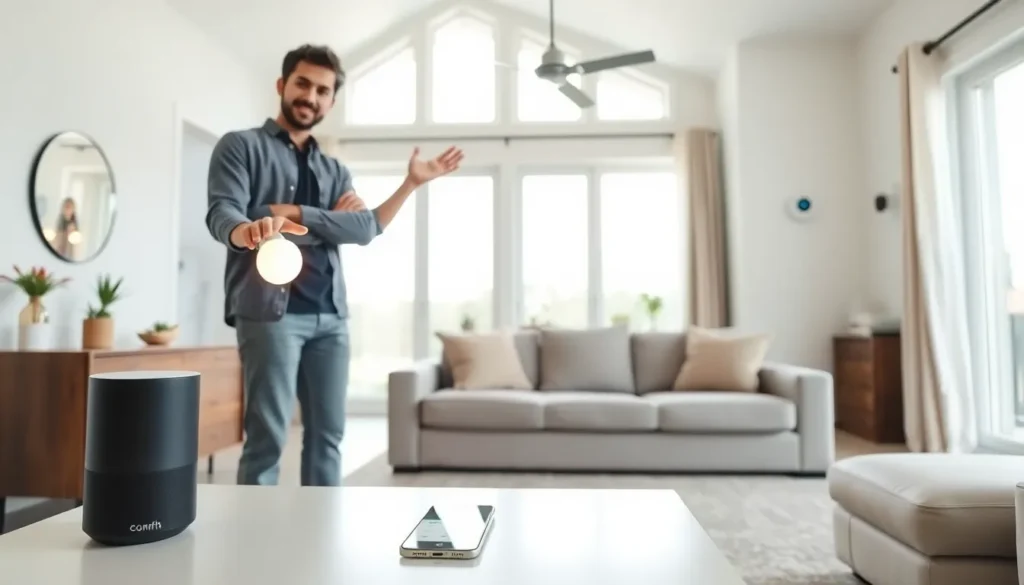
Smart bulbs can change colors, dim on command, and turn on or off automatically based on schedules or triggers. Smart plugs transform any “dumb” device, like a lamp or coffee maker, into a smart one. Users can control plugged-in devices remotely or set them to operate on timers.
These products typically cost between $10 and $50, making them low-risk purchases for someone testing smart home technology for the first time.
Setting Up Your First Smart Home System
Setting up smart home tech takes less time than most beginners expect. The process follows a predictable pattern for nearly every device.
Step one: download the manufacturer’s app. Every smart device requires an app for initial configuration. Amazon, Google, Philips, and other brands each have dedicated apps available in iOS and Android stores.
Step two: create an account and sign in. Most apps require email registration. This account stores device settings and enables remote access from anywhere.
Step three: add the device. The app will guide users through connecting the device to their home Wi-Fi network. This usually involves pressing a button on the device, scanning a QR code, or entering network credentials.
Step four: name and organize devices. Assigning clear names like “Bedroom Lamp” or “Kitchen Speaker” makes voice commands more intuitive. Most apps allow grouping devices by room for easier management.
Step five: link to a voice assistant if desired. Users can connect devices from various manufacturers to Amazon Alexa, Google Home, or Apple HomeKit. This allows one app or speaker to control everything.
Beginners should start with two or three devices before expanding. This approach builds confidence and helps identify which features provide the most value. A smart speaker paired with a few smart bulbs creates a solid foundation for future additions.
Tips for a Smooth Smart Home Experience
A few practical strategies help beginners avoid common frustrations with smart home tech.
Check Wi-Fi strength first. Smart devices depend on reliable internet connections. Weak signals cause delays, disconnections, and failed commands. Consider a mesh Wi-Fi system if coverage gaps exist in the home.
Stick to one ecosystem when possible. Mixing Amazon, Google, and Apple devices works, but it adds complexity. Beginners benefit from choosing one primary platform and selecting compatible products.
Update firmware regularly. Manufacturers release updates that fix bugs and add features. Most apps notify users when updates are available. Installing them keeps devices secure and functioning properly.
Use strong passwords. Smart home devices connect to the internet, which creates potential security risks. Unique passwords and two-factor authentication protect against unauthorized access.
Start simple, then automate. Manual control builds familiarity with how devices work. Once comfortable, users can create automations, like turning on lights at sunset or adjusting the thermostat when leaving home.
Read reviews before buying. Not all smart devices perform equally. User reviews and tech publications help identify reliable products and avoid disappointing purchases.
Smart home tech improves with time as users discover new routines and automations that fit their lifestyle.