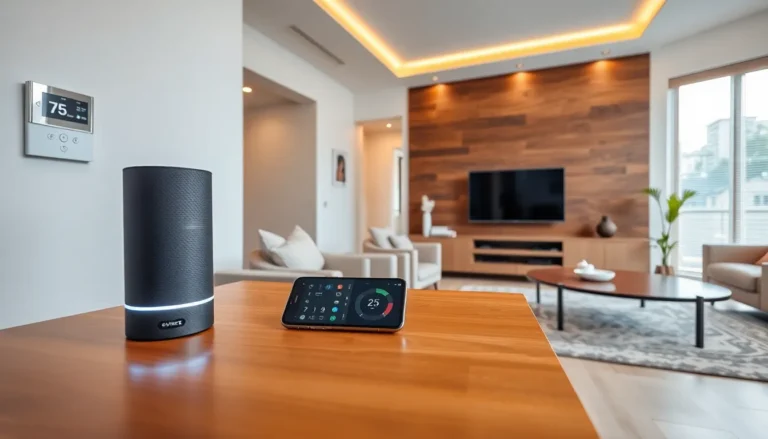
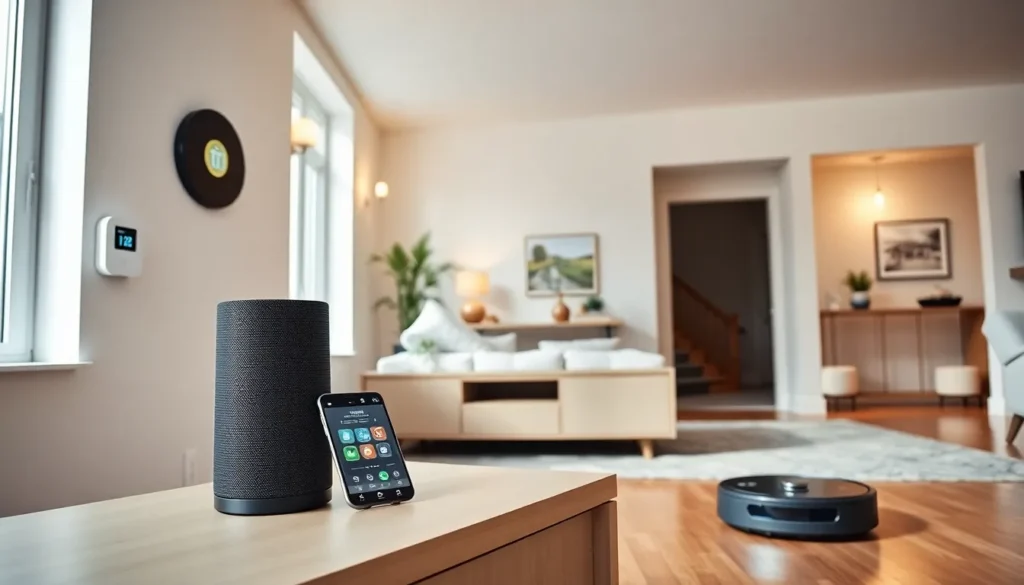
Smart home tech transforms ordinary houses into connected, automated spaces. These devices communicate with each other and respond to user commands through apps, voice assistants, or automated schedules. From thermostats that learn preferences to lights that turn off when everyone leaves, smart home technology makes daily life more convenient and efficient.
The market has grown rapidly in recent years. By 2025, millions of households use at least one smart home device. This guide explains how smart home tech works, the most popular device types, key benefits, potential drawbacks, and how beginners can start building their own connected home.
Table of Contents
ToggleKey Takeaways
- Smart home tech connects devices like thermostats, lights, and security systems to automate daily tasks and improve convenience.
- Most smart home devices use Wi-Fi, Zigbee, or Z-Wave to communicate, with control options including smartphone apps and voice assistants.
- Smart thermostats can save homeowners 10-15% on heating and cooling bills by learning household patterns.
- Privacy and security risks require strong passwords, two-factor authentication, and regular firmware updates to protect your connected home.
- Start building your smart home by choosing one ecosystem (Alexa, Google Home, or Apple HomeKit) and adding devices gradually based on your priorities.
- The Matter standard improves compatibility between smart home tech brands, making it easier to mix devices from different manufacturers.
How Smart Home Technology Works
Smart home tech relies on three core components: devices, connectivity, and control systems.
Devices include physical products like smart speakers, thermostats, cameras, and door locks. Each device contains sensors, processors, and wireless communication chips.
Connectivity links these devices together. Most smart home tech uses Wi-Fi, Bluetooth, Zigbee, or Z-Wave protocols. Wi-Fi connects directly to home routers. Zigbee and Z-Wave create mesh networks where devices relay signals to each other, extending range and reliability.
Control systems let users manage their smart home tech. These include:
- Smartphone apps for remote access
- Voice assistants like Amazon Alexa, Google Assistant, or Apple Siri
- Smart hubs that centralize device management
- Automated routines triggered by time, location, or sensor data
Here’s a simple example: A smart thermostat detects when residents leave home using phone GPS. It sends this data through Wi-Fi to the cloud. The system then lowers the temperature automatically. When residents return, the thermostat adjusts again without any manual input.
Smart home tech can operate independently or as part of larger ecosystems. Many users start with one device and expand over time. The key is choosing products that work together within the same ecosystem or support universal standards like Matter, which launched in 2022 to improve device compatibility.
Common Types of Smart Home Devices
Smart home tech spans many categories. Here are the most popular device types:
Smart Speakers and Displays
Smart speakers serve as the command center for many homes. Amazon Echo, Google Nest, and Apple HomePod respond to voice commands and control other devices. Smart displays add screens for video calls, recipes, and security camera feeds.
Smart Lighting
Smart bulbs and switches let users control lights remotely. They can dim, change colors, and follow schedules. Popular brands include Philips Hue, LIFX, and Wyze. Motion sensors can trigger lights automatically when someone enters a room.
Smart Thermostats
Devices like Nest, Ecobee, and Honeywell learn household patterns and adjust temperatures accordingly. They reduce energy waste and can save homeowners 10-15% on heating and cooling bills annually.
Smart Security
This category includes video doorbells (Ring, Nest Hello), security cameras, smart locks, and alarm systems. Users receive alerts on their phones and can see who’s at the door from anywhere.
Smart Appliances
Refrigerators, washers, ovens, and vacuums now feature smart connectivity. Robot vacuums like Roomba clean on schedule. Smart refrigerators track food inventory and expiration dates.
Smart Plugs and Outlets
These affordable devices turn ordinary appliances into smart ones. Plug in a lamp or coffee maker, and control it through an app or voice command.
Benefits of Smart Home Technology
Smart home tech delivers practical advantages across several areas.
Convenience ranks as the top benefit. Users control lights, locks, and thermostats from their phones or with voice commands. No more walking through the house to check if doors are locked. Smart home tech handles routine tasks automatically.
Energy savings add up quickly. Smart thermostats optimize heating and cooling. Smart lighting turns off in empty rooms. The Department of Energy estimates smart thermostats alone can save $50-150 annually on energy costs.
Security improvements give homeowners peace of mind. Smart cameras monitor property 24/7. Smart locks eliminate the need for spare keys under doormats. Motion sensors alert users to unexpected activity. Some insurance companies offer discounts for homes with smart security systems.
Accessibility makes smart home tech valuable for elderly or disabled residents. Voice control eliminates the need to reach switches or buttons. Automated routines handle tasks that might otherwise require physical effort.
Remote monitoring lets users check on their homes from anywhere. Traveling homeowners can verify doors are locked, adjust thermostats, and receive alerts about leaks or smoke detection. This capability provides both convenience and security.
Potential Drawbacks to Consider
Smart home tech isn’t perfect. Buyers should weigh these concerns:
Privacy risks exist with any internet-connected device. Smart speakers listen for wake words constantly. Cameras stream video to cloud servers. Users should research company data policies and enable available privacy settings.
Security vulnerabilities can expose homes to hackers. Weak passwords and outdated firmware create entry points. Best practices include using strong passwords, enabling two-factor authentication, and keeping devices updated.
Compatibility issues frustrate many users. Not all smart home tech works together. A Philips Hue bulb might not integrate well with a Samsung SmartThings hub. The Matter standard aims to solve this, but adoption takes time.
Internet dependence means outages can disable smart features. When Wi-Fi goes down, some devices lose functionality entirely. Many smart locks and thermostats include manual overrides for this reason.
Cost can add up. Quality smart home tech requires investment. A full smart home setup with security, lighting, and climate control might cost $1,000-5,000 or more. But, prices continue to drop as the market matures.
Obsolescence affects older devices. Companies sometimes discontinue support, leaving hardware unable to receive updates or connect to current systems.
Getting Started With Your Smart Home
Building a smart home doesn’t require a massive upfront investment. Here’s a practical approach:
Step 1: Choose an ecosystem. Pick Amazon Alexa, Google Home, or Apple HomeKit as your foundation. This decision affects which devices will work together smoothly. Consider which voice assistant you already use or prefer.
Step 2: Start with one or two devices. A smart speaker makes a logical first purchase. It provides voice control and serves as a hub for future additions. Smart bulbs or plugs offer affordable entry points that deliver immediate results.
Step 3: Add devices gradually. Expand based on your priorities. Security concerns? Add a video doorbell. High energy bills? Install a smart thermostat. This phased approach spreads costs and lets you learn the technology at your own pace.
Step 4: Set up automations. Create routines that make smart home tech truly useful. Examples include:
- Lights dimming at bedtime
- Thermostat adjusting when the last person leaves
- Coffee maker starting when morning alarms go off
Step 5: Prioritize security. Use unique, strong passwords for each device. Enable two-factor authentication where available. Keep firmware updated. Place IoT devices on a separate network if your router supports it.
Smart home tech works best when it solves real problems. Focus on pain points in your daily routine, then find devices that address them.