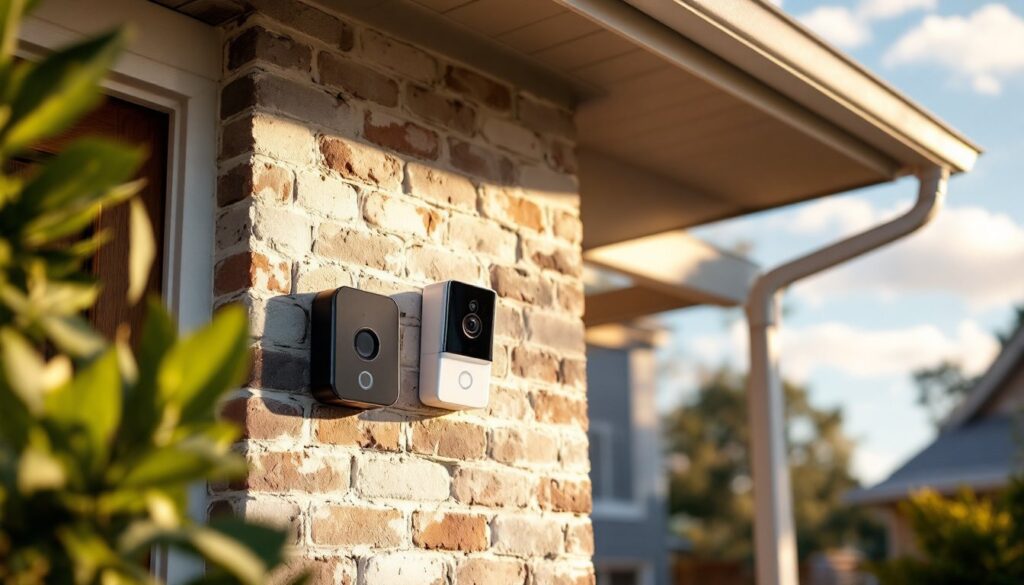
If you’ve installed a Ring doorbell or you’re thinking about it, you probably want to know how long the device will actually last before you need to replace it. Ring doorbells are built to be durable, but like all electronics, they have a lifespan, and several factors influence how many years you’ll get out of yours. Whether you’re running on batteries or hardwired to your existing doorbell circuit, understanding what to expect helps you plan for maintenance and eventual replacement. This guide breaks down real battery life, typical device longevity, and what actually wears out a Ring doorbell over time.
Table of Contents
ToggleKey Takeaways
- Most Ring doorbells last three to five years under typical use, though real-world lifespan can extend to four to seven years in protected environments.
- Battery-powered Ring doorbells hold a charge for three to six months depending on model, weather, and usage patterns, while wired models eliminate battery concerns by drawing power from your home’s transformer.
- Environmental factors like temperature swings, moisture, direct sunlight, and poor WiFi signal significantly impact how long a Ring doorbell lasts and should guide your installation strategy.
- Reducing video resolution, disabling 24/7 recording, and using Smart Alerts instead of continuous monitoring extends both battery life and overall device lifespan.
- Regular maintenance—including lens cleaning, seal inspection, software updates, and scheduled battery charging—can help your Ring doorbell reach its maximum operational lifespan of five to seven years.
- Plan to budget for replacement every five to seven years, as even well-maintained Ring doorbells will eventually require upgrading for security and feature improvements.
Ring Doorbell Battery Life: What to Expect
Battery life on Ring doorbells is one of the biggest questions homeowners ask, and the answer depends heavily on which model you own. Most battery-powered Ring doorbells, like the Ring Video Doorbell (2nd gen) and Ring Video Doorbell (4th gen), hold a charge between three to six months under normal conditions. This isn’t a typo: these are designed as low-power devices that spend most of their time idle, only consuming significant energy when someone presses the button or motion detection triggers.
The Ring Video Doorbell Pro models are typically wired directly into your home’s existing doorbell circuit, so they don’t rely on batteries at all, they pull power from your transformer, just like a traditional doorbell. If you have a Ring Doorbell Elite or Ring Video Doorbell with a battery pack, you might see closer to four to six months per charge, depending on traffic and video streaming patterns.
One thing to remember: Ring publishes estimates, but real-world battery drain varies. Cold weather, high motion detection sensitivity, frequent doorbell presses, and constant video streaming all eat through a charge faster than Ring’s baseline calculations assume.
Wired vs. Battery-Powered Models
Wired models eliminate battery concerns entirely. A hardwired Ring doorbell (like the Ring Video Doorbell Pro or Ring Video Doorbell Pro 2) draws power from your home’s low-voltage transformer, usually the same 16–24V circuit that powered your old mechanical doorbell. There’s no battery to replace every few months: the device stays powered as long as your home has electricity.
Battery-powered models offer flexibility. You don’t need to run wiring or hire an electrician, which makes them ideal for renters or homes where running new circuits is impractical. The trade-off is the battery cycle: you’ll need to charge or swap batteries every few months. If you forget, your Ring goes offline and you lose doorbell notifications and video recording.
For long-term ownership, wired is the lower-maintenance choice. Battery models give you convenience upfront but require more active maintenance over the device’s lifespan.
Typical Lifespan of Ring Doorbell Devices
Most Ring doorbell hardware lasts three to five years under typical use. This is the physical device itself, the camera lens, the processor, the motion sensor, and the housing, not just the battery.
Ring designs these cameras with a lifespan in mind, though they don’t explicitly advertise a warranty in years. The standard one-year limited warranty covers manufacturing defects and hardware failure. After that first year, failures tend to stem from environmental exposure, normal wear, or accidental damage rather than factory defects.
In the field, many homeowners report their Ring doorbells lasting four to seven years without major issues, especially if they’re installed in covered locations and treated gently. Units installed in harsh climates or high-traffic areas, like apartment complexes with frequent visitors, may degrade faster. A device that gets rained on, baked in direct sun, or subjected to temperature swings from -20°F to 120°F will age differently than one tucked under a porch overhang.
The longevity also depends on software support. Ring regularly pushes firmware updates that improve performance and security. As long as your model receives updates (typically five to seven years after release), you’re getting continued bug fixes and feature improvements. Once a model falls out of the update cycle, it still works, but you’re no longer receiving security patches, which matters for a camera at your front door. CNET’s hardware reviews regularly track how long smart home devices remain supported and functional after release.
Factors That Affect How Long Your Ring Doorbell Lasts
Several variables will determine whether your Ring doorbell makes it three years or seven years. Understanding these helps you protect your investment and plan replacement cycles.
Weather and Environmental Conditions
Temperature swings are hard on electronics. Ring doorbells operate between 32°F and 113°F according to specs, but they’re tougher than they sound. The real issue is repeated cycles of freezing and thawing or rapid temperature changes. Moisture is the bigger threat. Even though Ring doorbells carry an IP65 rating (dust-tight and water-resistant to strong jets), prolonged exposure to sea salt spray, humidity, or direct rain can corrode internal components over time.
Direct sunlight is an underrated culprit. The plastic lens and housing degrade under UV exposure: the circuit board inside heats up in high temperatures, which stresses capacitors and semiconductors. Units installed on sun-facing walls age faster than those under soffits or in shaded entryways.
Snow and ice buildup blocks the lens and motion sensor. If you live in a heavy snow climate, regular brushing off the camera keeps it functional and extends life. Extreme cold also reduces battery efficiency, so if you’re using a battery-powered model, expect shorter charge cycles in winter.
Usage Frequency and Settings
High-traffic doorbells wear out faster, though not for the reason you’d think. It’s not the button itself, Ring buttons are rated for thousands of presses. The real drain is continuous motion detection and video streaming. If your Ring is set to 1080p or 2K resolution with motion detection sensitivity cranked to maximum, the processor runs harder and the battery drains faster.
Package theft has prompted many homeowners to enable 24/7 recording or very aggressive motion zones. This constant video encoding will age the device quicker and burn through battery in three months instead of six. If you want to extend lifespan, dial back resolution to 720p for motion recordings and use Smart Alerts instead of 24/7 monitoring, this keeps your processor and battery fresher longer.
WiFi signal strength also matters. If your Ring is struggling to maintain a connection (signal bars dropping in and out), the radio transmitter works overtime, draining battery and generating heat that stresses components. A weak signal might cut your battery life from five months to three months and accelerate aging of the WiFi chipset.
Integration with other smart home systems, Alexa announcements, automations, integrations with your security system, increases data processing. These aren’t huge drains individually, but they add up over time. Digital Trends’ coverage of smart home technology regularly discusses how automation intensity affects device longevity in real-world homes.
Tips to Extend Your Ring Doorbell’s Lifespan
You can’t guarantee your Ring will last forever, but you can stack the odds in your favor.
Install with protection. If possible, mount your Ring under a porch soffit, awning, or covered entry rather than in direct sunlight or exposed to rain. Even a simple UV-resistant cover (not blocking the lens or motion sensor) shields the housing from weathering. For harsh climates, consider a weatherproof enclosure designed for video doorbells.
Keep the lens and sensors clean. A buildup of dust, pollen, or spider webs dims the lens and forces the motion sensor to work harder to detect movement. Wipe down the camera glass monthly with a soft, dry cloth. If you’re in a dusty environment, do it more often.
Optimize your settings for longevity. Reduce video resolution when possible, dial back motion sensitivity to avoid false alerts, and avoid 24/7 recording if it’s not essential. Use Smart Alerts instead, which relies on intelligent motion detection rather than continuous recording. This eases the computational load and extends both battery and hardware life.
Maintain a strong WiFi signal. Make sure your Ring has a robust connection to your home network. If you see poor signal, relocate your router, add a mesh network node closer to your entry, or use a WiFi extender. A strong signal reduces power draw and component stress.
Charge or replace batteries on a schedule. Don’t wait until your Ring goes offline to charge batteries. Check battery percentage in the Ring app monthly and recharge when it drops below 30%. For removable battery models, keep a spare battery charged so you can swap fresh batteries in without downtime.
Check for software updates regularly. Ring pushes firmware updates that patch bugs and improve hardware efficiency. Open the Ring app, navigate to your device settings, and manually check for updates if auto-update isn’t enabled. These updates often include thermal management or power optimization improvements.
Inspect the weatherstripping and seals. If your Ring is hardwired and your home settles or shifts, the seal between the device and your door frame can loosen. Water can seep inside and corrode internal connectors. Once a year, check that the unit sits flush against the wall and that any weatherstripping is intact. Tom’s Guide’s detailed Ring Peephole Cam review includes insights on how installation quality affects the longevity of Ring’s camera devices.
Plan for replacement. Even with perfect care, plan to replace your Ring doorbell every five to seven years. Set a mental note when you install it. Knowing the replacement cycle helps you budget for the upgrade and avoid being left without a working doorbell when your device finally fails.